
Discipleship
Discipleship is TheFaithApp’s dedicated formation product. It helps a church teach what it believes, walk with people over time, and offer spiritual practices without turning a member’s private life with God into an admin dashboard. Use it for membership classes, baptism preparation, new-believer foundations, leadership development, mentoring, prayer rhythms, or a pathway created for your own ministry context.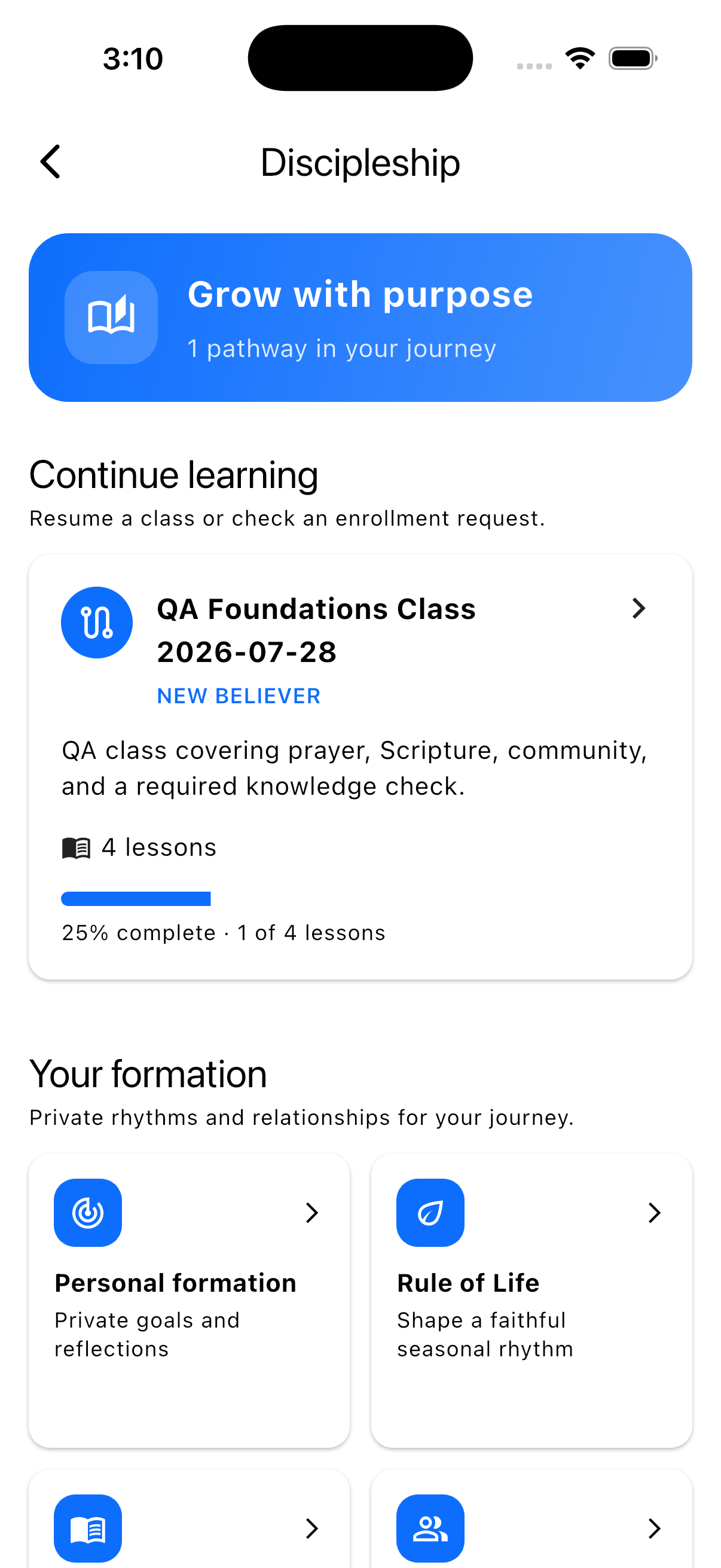
Discipleship is a top-level product. It uses your existing church members,
staff accounts, campuses, volunteer opportunities, and permissions, but it
does not live inside the Church Management menu.
What you can build
Classes and pathways
Build sections, lessons, media, reflection prompts, discussions, and
optional or scored quizzes.
Mentorship and formation
Coordinate mentor pairings while keeping personal goals and journals under
the member’s control.
Prayer and spiritual practices
Offer a Rule of Life, Daily Office, Guided Examen, fasts, lament, the church
calendar, rest guides, and a Promise Ledger.
Privacy and current scope
Understand what staff can see, what stays private, and which capabilities
are intentionally partial.
A useful way to think about the product
The church provides structure and invitation. The member still owns the parts
of formation that should remain personal.
Your first pathway in about 30 minutes
1
Choose one real ministry need
Start with a pathway your church already understands, such as baptism
preparation or membership foundations. Write down the outcome in one
sentence: After this pathway, a learner should be able to…
2
Choose the people responsible
Ask one Discipleship manager to own setup, one teacher to maintain the
material, and one reviewer to check the content and correct answers before
publishing. One person may hold more than one role in a small church.
3
Create a pathway
In the admin dashboard, open Discipleship → Pathways → Create pathway.
Begin from a church-editable template or a blank pathway. Every template is
only a starting point.
4
Build one short section
Add two or three lessons. Give each lesson a clear teaching point, a
Scripture reference, and one next action. Add a quiz only when a correct
understanding is genuinely required.
5
Preview, publish, and enroll a test member
Check the member experience before inviting a whole class. Complete the
first lesson as the test member, confirm progress, and then review that
progress from the learner dashboard.
Before you invite learners
Use this checklist for the first launch:- Every required lesson has useful content.
- Required quizzes have at least one question and a confirmed correct answer.
- The passing score and attempt limit are compassionate and appropriate.
- The enrollment rule matches the ministry: open, approval-based, or invite-only.
- Assigned teachers have the correct Discipleship permission.
- The completion message tells learners what happens next.
- Certificate wording and signatory are correct if certificates are enabled.
- A staff member has tested the published pathway in the member app.
Who does what?
Permissions determine what a staff member may do. Assignment determines which
pathways or mentorship relationships they can access. Give each person only the
access they need.
Where to go next
- Follow Classes, quizzes, and learners to build your first complete pathway.
- Read Mentorship and personal formation before creating pairings or goal templates.
- Use Spiritual practices when your church is ready to add prayer and reflection rhythms.
- Review Privacy, safety, and current scope before training staff.